
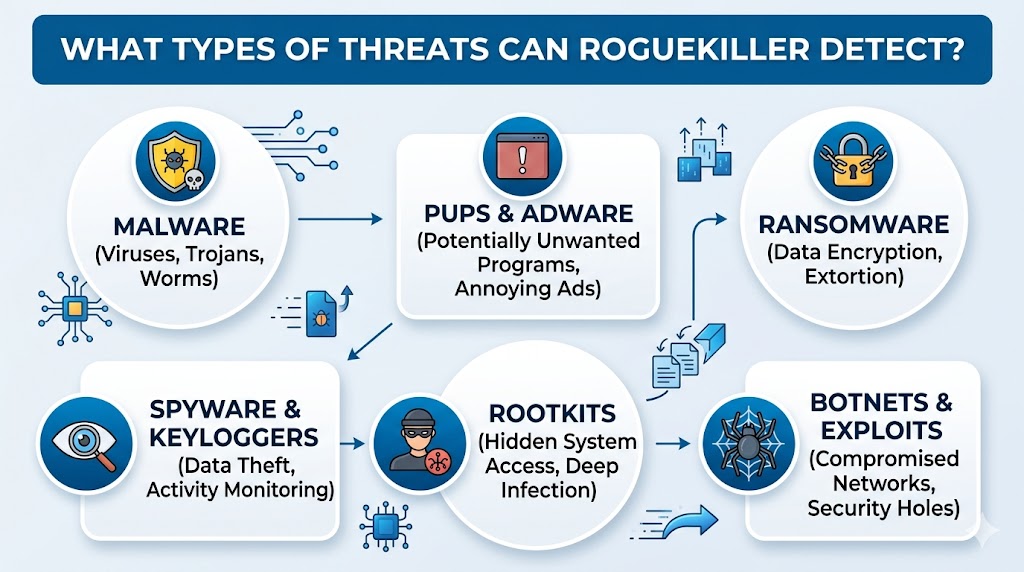
Cyber threats continue to evolve, targeting personal devices, business networks, and sensitive information through increasingly sophisticated methods. Security solutions must be capable of identifying both common and advanced threats before they can cause damage. RogueKiller is a specialized anti-malware tool designed to detect and remove a wide range of malicious activities that traditional antivirus programs may overlook. Its advanced scanning engine focuses on hidden infections, malicious processes, registry manipulations, and system modifications that can compromise security and performance. Understanding the types of threats RogueKiller can detect helps users strengthen their overall cybersecurity strategy.
Malware Detection Capabilities
Identifying Traditional Malware
RogueKiller is highly effective at detecting traditional malware that infiltrates systems through downloads, infected websites, email attachments, or compromised software. These threats can alter system files, steal information, or disrupt normal operations. The software scans critical system areas to identify suspicious behavior and malicious components associated with malware infections.
Detecting Advanced Malware Variants
Modern malware often employs obfuscation techniques to avoid detection. RogueKiller analyzes system activity and hidden processes to uncover threats that attempt to remain undetected. This capability enables it to identify complex malware variants that can bypass conventional security measures.
Rogue Software and Fake Security Programs
Recognizing Rogue Applications
One of RogueKiller’s primary strengths lies in detecting rogue software. These programs masquerade as legitimate security tools while generating false alerts designed to pressure users into purchasing unnecessary services or software.
Removing Fraudulent Security Threats
Fake antivirus programs can interfere with system operations and create misleading security warnings. RogueKiller identifies these deceptive applications and helps eliminate their associated files, processes, and registry entries, restoring system integrity.
Rootkit Detection
Finding Hidden Rootkits
Rootkits are among the most dangerous forms of malware because they operate at a deep system level. Their purpose is often to conceal malicious activity and maintain unauthorized access to a device.
Analyzing System-Level Manipulations
RogueKiller performs detailed scans to identify hidden drivers, altered system components, and unauthorized modifications that may indicate rootkit activity. Detecting these threats is essential because rootkits frequently serve as gateways for additional malware infections.
Trojan Detection
Identifying Trojan Infections
Trojans disguise themselves as legitimate files or applications while secretly performing malicious actions. They may collect data, open backdoors, or download additional threats.
Monitoring Suspicious Activities
RogueKiller examines processes, startup entries, and system behavior to identify indicators of Trojan infections. This approach helps uncover malicious components that operate silently in the background.
Spyware Detection
Discovering Information-Stealing Threats
Spyware is designed to monitor user activity and collect sensitive information such as login credentials, browsing habits, and financial details. These threats often run without visible signs of infection.
Protecting Personal Information
RogueKiller detects spyware by analyzing suspicious programs, unauthorized tracking mechanisms, and hidden monitoring activities. Removing spyware helps protect privacy and reduces the risk of data theft.
Adware Detection
Locating Unwanted Advertising Software
Adware generates intrusive advertisements, redirects browser traffic, and may track online behavior. While not always classified as highly dangerous, adware can significantly impact user experience and privacy.
Eliminating Advertising Components
RogueKiller identifies adware-related files, browser extensions, and registry entries. By removing these components, users can regain control over browser functionality and improve system performance.
Potentially Unwanted Programs (PUPs)
Detecting Unnecessary Applications
Potentially Unwanted Programs are applications that users may unknowingly install alongside legitimate software. These programs can consume system resources, modify settings, or display unwanted advertisements.
Restoring System Efficiency
RogueKiller scans for bundled software, suspicious applications, and unwanted utilities that affect performance. Detecting and removing PUPs contributes to a cleaner and more responsive system environment.
Browser Hijacker Detection
Identifying Browser Manipulations
Browser hijackers alter homepage settings, search engines, and browser configurations without user consent. These threats often redirect users to unwanted websites or advertising networks.
Correcting Browser Settings
RogueKiller detects unauthorized browser changes and associated components. It helps restore original browser settings and removes elements responsible for forced redirects and altered search behavior.
Ransomware Indicators
Detecting Suspicious Encryption Activities
Ransomware encrypts files and demands payment in exchange for decryption keys. Although ransomware prevention requires multiple security layers, early detection remains critical.
Recognizing Threat Behaviors
RogueKiller can identify suspicious system modifications, malicious processes, and indicators associated with ransomware activity. Detecting these signs can help users respond quickly before extensive damage occurs.
Malicious Registry Entries
Scanning Registry Modifications
The Windows registry is a frequent target for malware because it controls many system functions. Malicious registry changes can enable persistence, alter security settings, and launch threats automatically.
Removing Harmful Configurations
RogueKiller specializes in identifying suspicious registry entries that may be linked to malware infections. Cleaning these entries helps prevent malicious programs from restarting after system reboots.
Malicious Startup Entries
Examining Startup Locations
Many threats establish persistence by adding themselves to startup locations. This allows malware to launch automatically whenever the system starts.
Preventing Automatic Threat Execution
RogueKiller reviews startup configurations and detects unauthorized entries designed to maintain infections. Removing these entries helps stop recurring malware activity.
DNS and Hosts File Manipulation
Detecting Network Configuration Changes
Cybercriminals often modify DNS settings and hosts files to redirect users to fraudulent websites. These manipulations can facilitate phishing attacks and credential theft.
Restoring Trusted Network Settings
RogueKiller identifies unauthorized modifications to network configurations and assists in restoring legitimate settings. This helps ensure safer web browsing and reduces exposure to malicious redirections.
Backdoor Threat Detection
Finding Unauthorized Access Mechanisms
Backdoors provide attackers with remote access to compromised systems. Once installed, these threats can allow continuous control without user awareness.
Enhancing System Security
RogueKiller analyzes processes, services, and communication patterns associated with backdoor activity. Detecting these threats is essential for preventing long-term system compromise.
Malicious Scripts and Exploits
Identifying Script-Based Threats
Attackers frequently use scripts to execute malicious actions, download malware, or exploit vulnerabilities. These scripts may be embedded in files, websites, or compromised applications.
Detecting Exploit Attempts
RogueKiller monitors suspicious behaviors and system modifications associated with exploit-based attacks. This helps identify threats attempting to leverage security weaknesses for unauthorized access.
Conclusion
RogueKiller provides comprehensive protection by detecting malware, rogue software, rootkits, Trojans, spyware, adware, browser hijackers, ransomware indicators, malicious registry entries, startup threats, DNS manipulations, backdoors, and exploit-related activities. Its specialized scanning capabilities help uncover hidden infections and unauthorized system changes, making it a valuable security tool for maintaining system integrity, privacy, performance, and protection against evolving cyber threats.