
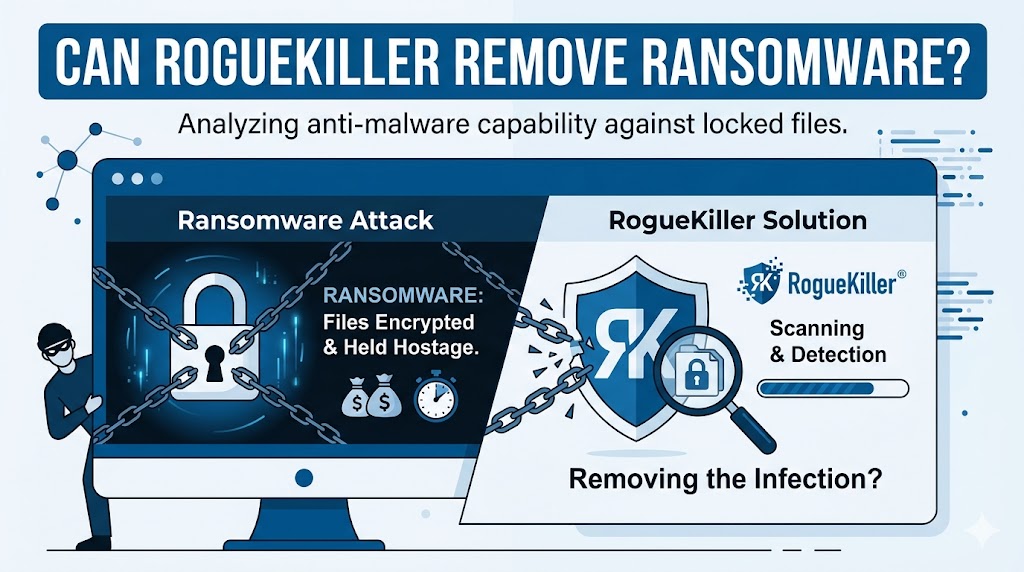
RogueKiller is a security and malware removal tool designed to detect and eliminate a wide range of threats, including malware, potentially unwanted programs, rootkits, malicious processes, registry modifications, and other harmful components that can compromise system security. The software focuses on identifying advanced threats that traditional antivirus solutions may overlook.
Can RogueKiller Remove Ransomware?
The Short Answer
Yes, RogueKiller can help remove ransomware infections from an affected device. It can detect and eliminate malicious files, processes, registry entries, scheduled tasks, and other components associated with ransomware. However, removing the ransomware itself does not automatically restore encrypted files.
Removal Versus File Recovery
A common misconception is that malware removal and file recovery are the same process. They serve different purposes:
- Malware removal stops the ransomware from operating.
- Threat cleanup removes malicious components from the system.
- File recovery focuses on restoring encrypted data.
RogueKiller is primarily a malware removal solution. While it can help eliminate the active infection, recovering encrypted files may require backups, decryption tools, or specialized recovery methods.
How RogueKiller Detects Ransomware
Behavioral Analysis
RogueKiller uses detection techniques that analyze suspicious behavior. Many ransomware families attempt to modify system settings, create startup entries, disable security features, or establish persistence mechanisms. These activities can be identified and flagged during scanning.
Signature-Based Detection
The software also relies on malware signatures to recognize known ransomware variants. When a threat matches an existing database entry, RogueKiller can quarantine or remove it from the system.
System Inspection
RogueKiller examines critical system areas, including:
- Running processes
- Startup entries
- Windows registry locations
- Scheduled tasks
- Services
- System folders
This detailed inspection helps uncover hidden ransomware components that may otherwise remain active.
What Happens After Ransomware Removal?
Threat Activity Stops
Once RogueKiller successfully removes ransomware components, the malicious program can no longer continue encrypting files or spreading throughout the system. This step is crucial because it prevents additional damage.
Encrypted Files May Remain Locked
Even after successful malware removal, encrypted files often remain inaccessible. Ransomware encryption is designed to keep data locked until a decryption key becomes available. Removing the threat prevents further encryption but does not automatically reverse existing damage.
System Stability Improves
Ransomware can alter operating system settings, create unauthorized processes, and consume system resources. Cleaning the infection helps restore normal functionality and reduces security risks.
Situations Where RogueKiller Is Effective
Active Ransomware Infection
If ransomware is currently running, RogueKiller can help identify and terminate malicious processes. Removing the active threat prevents continued encryption and system compromise.
Residual Malware Components
Many ransomware attacks leave behind secondary files, startup entries, and registry modifications. RogueKiller is effective at locating these remnants and removing them to reduce reinfection risks.
Security Assessment
After an attack, organizations and individuals often perform comprehensive scans to ensure no hidden threats remain. RogueKiller can assist in verifying system integrity and identifying suspicious elements.
Limitations of RogueKiller
Not a Guaranteed Decryption Solution
RogueKiller is not specifically designed as a universal ransomware decryption tool. If files have already been encrypted, separate recovery methods may be required.
Success Depends on Threat Type
Ransomware families vary significantly. Some variants are easier to detect and remove, while others use sophisticated evasion techniques. Detection success may depend on the malware version and the software database available during scanning.
Backups Remain Essential
Even advanced malware removal tools cannot always restore encrypted data. Regular backups remain one of the strongest defenses against ransomware-related losses.
Best Practices When Using RogueKiller Against Ransomware
Disconnect the Infected Device
As soon as ransomware is suspected, disconnect the device from networks and external storage devices. This action helps limit potential spread and reduces the risk of additional encryption.
Run a Full Scan
A comprehensive scan allows RogueKiller to inspect all critical system areas. Full scans improve detection rates and increase the likelihood of removing associated malicious components.
Quarantine Suspicious Items
Review scan results carefully and quarantine detected threats. Quarantine creates a safer environment while allowing further analysis if necessary.
Use Additional Security Layers
Combining RogueKiller with reputable antivirus and endpoint security solutions creates a stronger defense strategy. Multiple security layers increase detection capabilities and improve overall protection.
Preventing Future Ransomware Attacks
Maintain Regular Backups
Frequent backups provide a reliable recovery option if ransomware encrypts files. Offline and cloud-based backup strategies offer additional protection.
Keep Software Updated
Operating system and application updates often contain security patches that address vulnerabilities commonly exploited by cybercriminals.
Strengthen Email Security
Many ransomware infections begin with malicious email attachments or phishing campaigns. Careful email handling reduces exposure to these threats.
Educate Users
Security awareness training helps individuals recognize suspicious links, downloads, and social engineering tactics that frequently lead to ransomware infections.
Use Reliable Security Tools
A combination of antivirus software, anti-malware solutions, firewalls, and threat monitoring tools can significantly reduce ransomware risks.
Comparing RogueKiller With Traditional Antivirus Software
Specialized Threat Removal
Traditional antivirus products focus on broad threat detection, while RogueKiller emphasizes identifying and removing stubborn malware, rogue applications, and advanced threats that may evade standard scans.
Deep System Analysis
RogueKiller performs extensive inspections of system processes, registry entries, and startup mechanisms. This approach helps uncover hidden ransomware components that contribute to persistence.
Complementary Security Approach
Many cybersecurity professionals use RogueKiller alongside antivirus solutions rather than as a complete replacement. This layered strategy strengthens overall protection and enhances malware removal capabilities.
Conclusion
RogueKiller can remove ransomware-related processes, files, registry entries, and persistence mechanisms, making it a valuable tool for cleaning infected systems. However, malware removal does not automatically decrypt locked files. For the best outcome, combine RogueKiller with strong backup practices, updated security software, user awareness training, and additional recovery methods when encrypted data is involved. This layered approach improves security, minimizes damage, and supports faster recovery after a ransomware incident.